- Key Takeaways
- Introduction
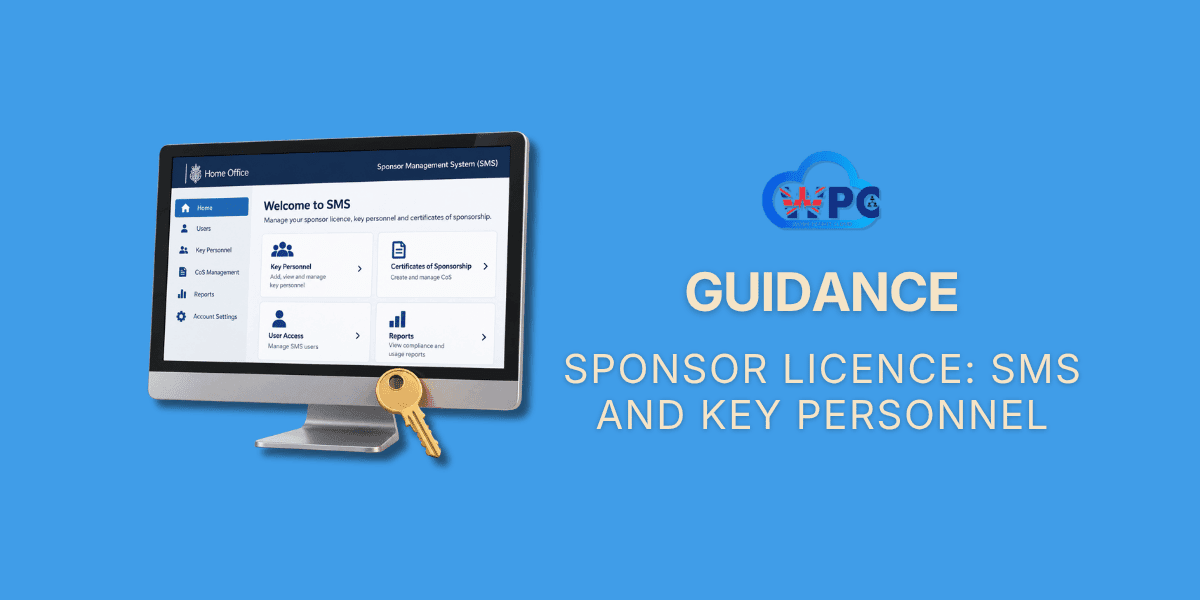
- What the Sponsorship Management System Is For
- Your Key Personnel Once You Are Licensed
- Logging In for the First Time
- Can You Share an SMS Login? The Rules Every User Must Follow
- Level 2 Users: A Role Being Withdrawn
- Inactive Accounts: How a Dormant Login Can Cost You the Licence
- Changing Your Key Personnel
- What Happens If You Get This Wrong
- Detailed Guides on This Topic
- How Can WorkPermitCloud Help?
- Conclusion
- Glossary
- Frequently Asked Questions
Key Takeaways
- The Sponsorship Management System (SMS) is where a licensed sponsor assigns Certificates of Sponsorship, reports changes and manages its people. Only SMS Users have a login, and the Authorising Officer and Key Contact are not SMS Users unless they are also appointed as Level 1 Users.
- Your Authorising Officer is responsible for everything done on the system, including anything done by a representative or an outsourced HR provider you have given access to.
- You must always have an eligible Authorising Officer and a primary Level 1 User who is both an employee, director or partner and a settled worker. If either is missing, Part 1 of the sponsor guidance says the Home Office will revoke the licence.
- An SMS User who shares a password or one-time passcode puts the licence at risk. An SMS User who assigns a Certificate of Sponsorship to themselves or to a close relative or partner will cost you the licence.
- Multi-factor authentication is mandatory, so every Level 1 User needs a correct mobile number, email address and date of birth recorded on the account.
- An account nobody has used for 12 months is treated as inactive. Ignore the Home Office's contact about it and you can lose your only Level 1 User, then the licence.
- WorkPermitCloud trains Authorising Officers and Level 1 Users on the SMS, checks your key personnel against the Home Office tests and handles changes for you. See our sponsorship duties service.
Introduction
This page is for organisations that already hold a sponsor licence: the Authorising Officer, the people running the licence day to day on the Sponsorship Management System, and anyone taking over one of those roles. It explains who must be in place, what each person may and may not do on the system, and what happens when a role falls vacant or a rule is broken. If you are still applying, the tests for the people you nominate are in our guide to Sponsor Licence: How to Apply, and our sponsor licence service covers the whole licence from application onwards.
What the Sponsorship Management System Is For
Once your licence is granted, the Home Office sets up an account for your organisation on the Sponsorship Management System, usually shortened to the SMS. It is the only way to carry out most sponsorship tasks, and everything done on it is recorded against the person who did it. That record is what a compliance officer looks at first.
What You Use It For
The SMS is a tool. The rules for each task sit in different parts of the sponsor guidance, and each has its own page in this guidance library. This table shows where to go for each one.
| Task on the SMS | Who can do it | Where the rules are explained |
|---|---|---|
| Assign Certificates of Sponsorship, apply for Defined CoS and request a larger allocation | Level 1 Users. Existing Level 2 Users can assign CoS but cannot request allocations or Defined CoS | Certificate of Sponsorship (CoS) |
| Report worker activity, such as unauthorised absence, a change of job or salary, or the end of sponsorship | Level 1 Users. Existing Level 2 Users only for CoS they created or had transferred to them | Sponsor Licence: Compliance and Duties |
| Report changes to your organisation, such as an address, structure, merger or insolvency | Level 1 Users | Sponsor Licence: Compliance and Duties |
| Replace or amend your Authorising Officer or Key Contact, and add, update or remove SMS Users | Level 1 Users | This page, under Changing Your Key Personnel |
| Read Home Office messages about your licence and the sponsor guidance | Level 1 Users | This page, under What Your Account Tells You |
This page covers the rules. For the screens themselves, step by step, our UK Sponsor Management System guide for employers walks through each function, and the Home Office publishes a set of SMS user manuals on GOV.UK, starting with SMS manual 1: introduction and managing user access.
What Your Account Tells You
Your SMS account is also the Home Office's record of your licence. It shows how many SMS Users you have and who they are, how many Certificates of Sponsorship you have left to assign, and when your allocation expires. For Scale-up and UK Expansion Worker licences only, it also shows the date the licence expires, because those are the only licences that do. Any other Worker or Temporary Worker licence has no expiry date and nothing to renew.
There is also a message board, where the Home Office posts updates about the sponsor guidance and the system. Level 1 Users see messages targeted at their routes when they log in and are expected to read them before doing anything else.
What you can do depends on the status of your licence. If it is revoked, you cannot log in at all. If it is suspended or dormant, you can log in but some functions are blocked, including assigning Certificates of Sponsorship, requesting allocations and all Defined CoS functions. If you are B-rated, the system will not let you apply for or assign Defined CoS, and the sponsor guidance separately forbids assigning any certificate to a worker you were not already sponsoring before the downgrade. What a B-rating means is covered in Sponsor Licence: Suspension and Revocation.
Getting to the System Safely
Always reach the SMS through the UK visa sponsorship management system page on GOV.UK, never through a link in an email. The Home Office says in its multi-factor authentication manual that it will never:
- send you a link to the SMS log in page or to SMS guidance, or an attachment containing one
- send you a link to view messages or take action on your account
- ask for your SMS user ID, password, one-time passcode or date of birth outside the SMS itself
- send you a one-time passcode you did not request
If it receives information suggesting an account has been compromised, it secures the account, which can include deactivating users, and then contacts you. Losing your SMS Users that way is disruptive even when you have done nothing wrong, so treat any message asking for log in details as an attempt to get into your account.
Two practical points. The system logs you out after 20 minutes of inactivity, and it should only be open in one browser tab or window at a time. And Home Office emails about your licence come from addresses ending @homeoffice.gov.uk, including noreply@homeoffice.gov.uk, so make sure your mail filters let them through. The manual warns that failing to act on its emails could cost you the licence.
Your Key Personnel Once You Are Licensed
Every licence has Key Personnel: the people the Home Office holds responsible for how it is run. You named them in your application, and the tests they had to pass to get the licence granted are covered in full in Sponsor Licence: How to Apply. Those tests do not stop applying once the licence is granted. The people in these roles must meet them for as long as they hold the role.
| Role | What they do | SMS access | Who can fill it |
|---|---|---|---|
| Authorising Officer | The most senior person responsible for recruiting sponsored workers and for meeting your sponsor duties. Decides who has SMS access and is responsible for everything every SMS User does | None, unless also appointed as a Level 1 User | A paid member of staff or an office holder. Never a representative or anyone from another organisation, except an insolvency practitioner while you are in administration. Only one at a time |
| Key Contact | Your main point of contact with UK Visas and Immigration | None, unless also appointed as a Level 1 User | A paid member of staff, an office holder, or a UK-based representative. Only one at a time |
| Level 1 User | Runs the licence day to day on the SMS: assigns certificates, requests allocations, reports worker activity and organisational changes, manages other users and withdraws certificates | Full, subject to your licence status | Your primary Level 1 User must be an employee, director or partner and a settled worker. Additional Level 1 Users can come from outside the organisation after the licence is granted |
| Level 2 User | A restricted user who could create and assign certificates and report on their own | Limited | No longer appointable. See the section on Level 2 Users below |
One person can hold every role, or you can split them. Every one of them must be based in the UK for the period they fill the role (with a limited exception for the UK Expansion Worker route), have a valid National Insurance number unless exempt, and must not be a contractor or consultant engaged for a specific purpose. SMS Users must also access their accounts regularly and keep their details up to date, which the sponsor guidance lists as a requirement of the role, not just good practice.
The Authorising Officer's Ongoing Responsibility
The Authorising Officer decides how many of your staff need SMS access and at what level, and is responsible for the activities of all of them. They must also comply with the Home Office's requirements for using the system, and the guidance puts it plainly: if the Authorising Officer fails to do this, the Home Office "will take action against you". That means the organisation, not just the individual.
So the Authorising Officer needs a way to check what SMS Users are doing, and the Home Office recommends they check the Certificates of Sponsorship assigned at least once a month. An Authorising Officer who is not a Level 1 User cannot see the account themselves, which is why many organisations appoint their Authorising Officer as a Level 1 User as well. That can be done at any time.
Responsibility does not shrink when you bring in outside help. You are responsible for anything done by anyone you have set up as an SMS User, including people from outside your organisation, and if the Home Office is considering action against you it treats what they did as though you did it. Check the identity and suitability of anyone from another organisation before you give them access. Our Authorising Officer guide for UK sponsor licence compliance goes through the role in more detail.
Keeping a Primary Level 1 User
You must have at least one Level 1 User in place for the whole life of the licence who meets two requirements at once. They must be an employee, a director or a partner within your organisation, and they must be a settled worker. Part 1 of the sponsor guidance says the Home Office will revoke the licence if you do not, and Part 3 lists it among the grounds on which it will normally revoke.
Settled worker has a wider meaning than many people expect. It covers British and Irish citizens, anyone with the right of abode, anyone with indefinite leave or settled status, and also people with pre-settled status under the EU Settlement Scheme, people with a valid EU Settlement Scheme application awaiting a decision, and Commonwealth citizens granted permission on the UK Ancestry route, among others. The full list is in section S1 of Part 2 of the sponsor guidance.
There are two exceptions to the settled worker part. It does not apply to diplomatic missions, consular posts and international organisations licensed on the International Agreement route. And it does not apply while your Authorising Officer holds permission as a Representative of an Overseas Business, a Tier 1 Graduate Entrepreneur, Entrepreneur or Exceptional Talent migrant, a Start-up migrant, an Innovator or Innovator Founder, a Global Talent migrant or a UK Expansion Worker. You still need a Level 1 User who is an employee, director or partner. If your Authorising Officer later moves to a route that is not on that list, the exception ends and you must appoint a Level 1 User who meets both requirements.
A transitional arrangement applies if you applied successfully before 1 January 2025 and have held a licence continuously since. You can meet the two requirements with two separate Level 1 Users rather than one. The Home Office has said it will likely require every sponsor to have a single Level 1 User meeting both in future, and recommends appointing one now. It has not given a date, so treat the arrangement as temporary.
Adding More Level 1 Users
It is for you to decide how many Level 1 Users you need. Because the Authorising Officer answers for all of them, the Home Office recommends having no more than you really need, but enough to cover holidays and sickness. A licence with a single Level 1 User is one resignation away from a problem, which the section on changing your key personnel below explains.
Once your licence is granted, an additional Level 1 User can be any of the following:
- a paid member of staff or an office holder within your organisation
- an employee of an organisation you engage to deliver all or part of your HR function, though never your primary or sole Level 1 User
- a UK-based representative, though never your only Level 1 User. A representative based overseas cannot hold any Key Personnel role
If a representative is giving immigration advice or services, they must be authorised to do so. Check that before you give them access to your account.
Who You Cannot Appoint
You cannot appoint a contractor or consultant engaged for a specific purpose to any Key Personnel role. Workers supplied to you by an employment business cannot be appointed to any Key Personnel role on or after 9 September 2026. And nominating anyone who fails the suitability tests, such as an unspent conviction for a relevant offence, certain civil penalties, or a legal prohibition on acting as a company director, is likely to cost you the nomination or the licence. The Home Office may give you the chance to nominate someone else, or reduce your certificate allocation, including to zero, but it reserves the right to revoke without doing either. The Home Office checks every new nomination against its own records and the Police National Computer, and can repeat those checks at any time. The suitability tests are set out in full in Sponsor Licence: How to Apply.
Logging In for the First Time
How Your Log In Details Arrive
When the licence is granted, the Home Office posts the Level 1 User's user name to the Authorising Officer and emails the password to the Level 1 User. The Authorising Officer is responsible for passing the user name on. The user ID from your licence application does not work on the SMS.
On first log in the Level 1 User must change the password. The new one must be between 12 and 256 characters, contain at least one uppercase letter, one lowercase letter, one number and one special character, contain no spaces, and not include the user name or user ID. When an existing Level 1 User requests an account for someone new, the new user's password is emailed to them once the request is approved.
Multi-Factor Authentication
Multi-factor authentication is mandatory for all SMS Users. It has been rolled out to existing sponsors on a phased basis since 3 September 2026, and any licence granted on or after 9 September 2026 has it from the outset. The Home Office contacts each sponsor with instructions when it is switched on for their account.
Each log in then needs a one-time passcode on top of the user name and password. A Level 1 User with a valid mobile number receives the passcode by text message. A Level 1 User without one, and any remaining Level 2 User, receives it by email. The passcode is valid for 10 minutes.
Level 1 Users are also asked for their date of birth the first time they log in with a mobile phone, and again if they change their phone number or email address. Three wrong date of birth entries lock the account for 24 hours. If the date of birth on the account is itself wrong, it has to be corrected using the Home Office's MFA manual change of circumstances form. So the guidance requires you to keep a current email address for every SMS User, and a current mobile number and correct date of birth for every Level 1 User. If those details are wrong on the account, the person cannot get in. The Home Office's SMS manual 13 on multi-factor authentication has the log in steps.
If You Are Locked Out
Entering an incorrect user ID or password three times locks the account temporarily. The Home Office manual gives more than one waiting time, so wait at least half an hour before trying again rather than making repeated attempts. A forgotten password can be reset from the log in screen, and a temporary password is emailed to the address recorded for that user, after which it has to be changed again. A forgotten user ID is on the letter sent to your Authorising Officer when the licence was granted, or another Level 1 User can look it up. Failing that, the Home Office Business Helpdesk can help, but it will only discuss your licence if you email from an address registered to an active member of your Key Personnel. That is one more reason to keep those addresses correct.
If the person locked out is your only Level 1 User and the problem cannot be fixed from the log in screen, nobody else can make changes for you on the system. That is one more reason to have a second Level 1 User.
Can You Share an SMS Login? The Rules Every User Must Follow
No. This is the question the Home Office has answered most directly, and three rules follow from it. Most of them are about one thing: the SMS record has to show accurately which named person did what.
Never Share a Password or Passcode
Part 1 of the sponsor guidance says: "SMS users must not give their password (or multi-factor authentication passcode) to anyone else. If they do, we may revoke your licence." Part 3 lists it as a ground for revoking a licence in its own right, at Annex C3(f).
The rule applies whoever the other person is. Your solicitor, your recruitment consultant, a colleague covering holiday and your own director are all "anyone else". Giving them your log in does not share the responsibility either, because the Authorising Officer answers for every action on the account whoever took it. If someone needs to use the SMS, the right answer is to make them an SMS User with their own log in, provided they are eligible.
The same goes for an Authorising Officer who is not confident using the system. Handing the log in to someone who is does not solve the problem, it creates a revocation ground. The answer is training, so the person who holds the role can do the work themselves, and a second eligible Level 1 User to cover absences.
One Named Person, One Secure Email Address
Part 1 of the sponsor guidance says: "All email addresses you provide for each of your Key Personnel must be secure, personal to, and only accessible by, the named individual."
That rules out shared inboxes. An address like info@, hr@ or admin@ is by definition accessible to more than one person, so it fails the test however carefully it is managed. It also means one email address cannot serve two SMS Users.
| Avoid | Use instead |
|---|---|
| A shared inbox such as info@, hr@ or admin@ | A named address used only by that person, such as j.smith@yourcompany.co.uk |
| One address used by several Key Personnel | A separate address for each person |
| An address that others can see through delegated access or forwarding rules | An address that only the named person can open |
The guidance does not ban a personal webmail address, provided only the named person can use it. A named address on your own company domain is still the better choice, because it ties the person to the organisation and stays under your control when they leave.
The contact address you give for each person matters too. It must be your main business address, or the address of a branch or head office on your licence. For a UK-based representative it must be the representative's main business address.
Never Assign a Certificate to Yourself or a Relative
This is the SMS rule most likely to catch a family business that is otherwise trying to do everything properly, and it is a mandatory ground: the Home Office will revoke, not may revoke.
Part 3 of the sponsor guidance lists the circumstances in which the Home Office "will revoke your licence". One of them, at Annex C1(o), is where "a sponsorship management system (SMS) user you have appointed assigns their own Certificate of Sponsorship (CoS) or assigns a CoS to a close relative or partner of theirs." It is a will, not a may, and the guidance leaves no room for an action plan instead.
"Close relative or partner" is a defined term and it is wider than most people assume. It means the person's:
- spouse, civil partner, or unmarried or same-sex partner
- parent or step-parent
- son, step-son, daughter or step-daughter
- brother, step-brother, half-brother, sister, step-sister or half-sister
- nephew, niece or cousin
- aunt or uncle
- father-in-law, mother-in-law, brother-in-law, sister-in-law, son-in-law or daughter-in-law
The rule does not stop you sponsoring a relative. It stops the relative's own family member being the person who assigns the certificate. If your only Level 1 User is the owner and you want to sponsor the owner's nephew, someone else who is an eligible Level 1 User has to assign that certificate.
There is a second, related duty. Part 3 also requires you to disclose, by adding a sponsor note to the certificate, where you know or could reasonably be expected to know that an SMS User has assigned a certificate to a close relative or partner of anyone else within the sponsor organisation. In a family business that will often be the case, and the note is how you show you have nothing to hide.
The only exception is a UK Expansion Worker sponsor on a Provisional rating, where the Authorising Officer, who must also be the Level 1 User, can assign their own certificate so they can come to the UK to set up the business.
Log In Regularly
Every SMS User must access their account regularly, and the Home Office recommends that your Level 1 User logs in at least once a month. That keeps you on top of Home Office messages and allocation dates, and it keeps the account out of the inactive account process described below. If you want to know how your wider compliance would stand up today, our free HR compliance audit takes a few minutes.
Level 2 Users: A Role Being Withdrawn
The Level 2 User was a restricted SMS role. A Level 2 User could create and assign Certificates of Sponsorship and report worker activity on certificates they had created themselves or had transferred to them by a Level 1 User. They could not request allocations, apply for Defined CoS, change your licence details or see the Home Office messages shown to Level 1 Users.
Level 2 Users cannot be appointed on or after 9 September 2026. If you still have any, a Level 1 User must either convert each one to a Level 1 User, where they meet the Level 1 requirements and you still want them to have access, or deactivate their account. That must be done by 8 March 2027. After that date the Home Office deactivates any Level 2 accounts that remain.
Temporary staff supplied to you by an employment business can never be converted, because they cannot be Level 1 Users. Their Level 2 accounts must be deactivated by 8 March 2027. The Home Office does not contact inactive Level 2 Users directly under the inactive account process, so it is up to you to check whether yours still log in.
Inactive Accounts: How a Dormant Login Can Cost You the Licence
An SMS User account that has not been accessed for 12 months or more is inactive, and the Home Office removes inactive accounts from licences. The process is set out in Part 1 of the sponsor guidance and runs as follows.
| Stage | What happens |
|---|---|
| An account has not been used for 12 months or more | It is treated as inactive |
| The Home Office identifies it | It contacts your Authorising Officer and any inactive Level 1 User with instructions |
| Within 3 months of that contact | Each Level 1 User who needs to keep access must log in and check, and if necessary update, their details. A Level 1 User must deactivate anyone you no longer want to have access |
| 3 months pass without action | The Home Office deactivates the inactive accounts |
| That leaves you with no active Level 1 User | The licence is suspended and you have 28 days from the date of suspension to nominate an eligible Level 1 User |
| 28 days pass without a nomination | The licence is normally revoked |
The last step is less harsh than an ordinary revocation in one respect. If the only reason your licence was revoked is this process, no cooling-off period applies and you can apply again straight away. But you would have to make a full new application, meet every requirement in force at the time, pay the application fee again, and your sponsored workers would be affected by the revocation in the meantime.
All of it is avoidable by having someone log in once a month. For what suspension means while it lasts, see Sponsor Licence: Suspension and Revocation and our guide to why UK sponsor licences are suspended.
Changing Your Key Personnel
People leave, change jobs and change their names. Every change to your Key Personnel has to be made through the SMS by a Level 1 User, or on the change of circumstances form where nobody can access the system. The screens are covered in the Home Office's SMS manual 2: manage your sponsorship licence. The rules are below.
| Change | Deadline | What you send | Can it update automatically? |
|---|---|---|---|
| Replace your Authorising Officer | No grace period. You must have an eligible Authorising Officer at all times, so request the change as soon as you know | Signed submission sheet and any supporting documents, within 5 working days of the request | Yes, if the licence is fully active and A-rated and the new person's postcode matches your main or head office, or your representative's where a representative takes the role. Submission sheet still required |
| Replace your Key Contact | No working-day period is set. Make the change as soon as you know | Signed submission sheet and any supporting documents, within 5 working days | As above |
| Add a Level 1 User | Before the person needs access. Needed at once if you have none | Submission sheet and documents if the SMS asks for them, within 5 working days | Yes, on the same conditions |
| Remove an SMS User who has left or is no longer eligible | Within 20 working days of becoming aware | Nothing, unless the SMS produces a submission sheet | Done directly by a Level 1 User |
| Amend an existing person's details, such as an address, email or phone number | Within 20 working days of becoming aware | Submission sheet and evidence if the SMS asks for them | Address changes do, if the new postcode matches your main or head office, or your representative's for a representative Key Contact or Level 1 User. Other changes go to a caseworker |
Replacing the Authorising Officer or Key Contact
Most changes to your organisation must be reported within 20 working days of becoming aware of them. Part 3 of the sponsor guidance makes one exception to that rule, and it catches people out. Paragraph C2.3 reads: "Except where you are replacing your Authorising Officer or Key Contact, you must report the change by no later than 20 working days after the date you became aware of the change."
That does not give you longer to replace an Authorising Officer. The guidance sets no period at all, because it requires an eligible Authorising Officer to be in place throughout the life of the licence. In practice there is no grace period. You must have an eligible Authorising Officer in place throughout the life of the licence, and Part 1 says the Home Office will normally revoke your licence if you do not have a suitable and eligible Authorising Officer, or if you fail to tell it of a change of Authorising Officer. Content that tells sponsors they have 20 working days to replace their Authorising Officer is wrong, and a sponsor who relies on it is exposed from the day the old Authorising Officer goes.
In practice, decide who will take over before the current Authorising Officer leaves, check they meet the requirements, and have a Level 1 User submit the replacement as soon as the change takes effect. The SMS treats replacing someone and amending their details as different requests. Use the replacement function only where a different person is taking the role, and the amendment function where the same person's details have changed. The system will not accept a change to both family name and date of birth in a single amendment, because that looks like a different person.
A replacement Authorising Officer or Key Contact needs a signed submission sheet and any supporting documents, sent within 5 working days. If the Home Office asks for more, you have another 5 working days. Miss either deadline and the request is refused, and Part 3 lists failing to supply requested documents within the time limit as a ground on which the Home Office will normally revoke the licence. The Home Office also runs its standard checks on every new Key Personnel nomination and may ask you to nominate someone else.
Adding and Removing Level 1 Users
A Level 1 User requests additional Level 1 Users on the SMS, and deactivates the accounts of anyone who has left or no longer meets the requirements. Deactivate leavers promptly: an account belonging to someone who no longer works for you is an open door into your licence, and you remain responsible for anything done through it.
If the Home Office has concerns about a new Level 1 User you nominate, it can ask you to nominate someone else and will deactivate the account of the person you nominated while you do.
A representative has to be formally appointed as your representative on the licence before they can be nominated as a Level 1 User, and appointing, changing or removing a representative is itself a change you report through the SMS.
Changes That Need Extra Steps
Some changes need more than one request. If your organisation moves, the work addresses recorded for your Key Personnel may also need updating, and each change has to be requested separately. The address recorded for each person is their work address, never a home address.
If you hold a UK Expansion Worker licence with a Provisional rating, the usual functions for replacing or amending your Authorising Officer and Key Contact are not available to you, and you cannot change or add Level 1 Users until the licence has an A-rating. Changes to Key Personnel are notified through a general change request instead.
When Nobody Can Access the System
If your only Level 1 User has left, nobody can make changes on the SMS. You must then use the Home Office's sponsor change of circumstances form to add a Level 1 User, to replace an Authorising Officer who will also be your sole Level 1 User, to surrender the licence, or to ask for it to be made dormant.
Unless you are surrendering the licence, you must have at least one Level 1 User in place at all times. Losing your only one is already a revocation ground, so this is not a form to leave until later.
Faster Decisions on Personnel Changes
Where a request goes to a caseworker rather than updating automatically, A-rated sponsors whose licence is fully active can use the Home Office's priority change of circumstances service. It covers requests including replacing the Authorising Officer and adding or changing a Level 1 User. The fee is £350 per request and the Home Office aims to consider eligible requests within 5 working days of the working day after payment, and it accepts a minimum of 120 priority requests each day. The service is for Worker and Temporary Worker sponsors.
If You Go Into Administration
If your organisation goes into administration, an insolvency practitioner must be appointed as your Authorising Officer for as long as that lasts, and can fill any other Key Personnel role. What else you must report, and when, is covered in Sponsor Licence: Compliance and Duties.
What Happens If You Get This Wrong
The Home Office's powers are graded. Some failures mean it will revoke your licence, some mean it normally will, and some mean it may. The ones that come from your people and your SMS account are these.
| Failure | How the Home Office treats it | Where the rule is |
|---|---|---|
| An SMS User assigns their own Certificate of Sponsorship, or one to a close relative or partner | Will revoke | Part 3, Annex C1(o) |
| No eligible Authorising Officer in place | Revocation. Part 1 says the Home Office will revoke (L4.6) and will normally revoke (L4.38). Part 3 lists it as a ground on which it will normally revoke | Part 1, L4.6 and L4.38. Part 3, Annex C2(m) |
| Failing to tell the Home Office of a change of Authorising Officer | Will normally revoke | Part 1, L4.38 |
| No Level 1 User who can do the day-to-day work and meets the requirements | Revocation. Part 1 says the Home Office will revoke (L4.6 and L4.47). Part 3 lists it as a ground on which it will normally revoke. Where it follows the inactive account process, revocation is normal after the 28 days (L4.78) and no cooling-off period applies | Part 1, L4.6, L4.47 and L4.78. Part 3, Annex C2(k) |
| Key Personnel who fail the suitability tests | Will revoke or will normally revoke, depending on the ground | Part 1, L4.25 and L4.26 |
| An SMS User discloses their password or one-time passcode | May revoke | Part 1, L10.6. Part 3, Annex C3(f) |
| Documents for a change request not sent within 5 working days, or not supplied when asked | Request refused. C2.19 says the Home Office may revoke, and Annex C2(h) lists it as a ground on which it will normally revoke | Part 3, C2.19 and Annex C2(h) |
Each of these can also be picked up without a visit. Your SMS record is one of the sources the Home Office uses in remote and desk-based compliance checks, which our guide to Home Office remote compliance checks explains. What revocation means for your organisation and your sponsored workers, and how long you must wait before applying again, is covered in Sponsor Licence: Suspension and Revocation. All of these grounds are in Part 3 of the sponsor guidance, and the Key Personnel rules are in section L4 of Part 1.
Detailed Guides on This Topic
- UK Sponsor Management System (SMS): guide for employers. The SMS functions screen by screen, from first log in to reporting worker activity.
- Authorising Officer guide for UK sponsor licence compliance. What the Authorising Officer role involves in practice and what to consider when choosing one.
How Can WorkPermitCloud Help?
WorkPermitCloud is a Legal and HR-tech company specialising in UK business immigration and sponsor compliance. We train Authorising Officers and Level 1 Users to use the SMS themselves, so nobody needs to borrow anyone else's log in. We review your Key Personnel against the Home Office requirements, including the primary Level 1 User test and the transitional arrangement, and we plan and submit changes when someone leaves so the licence is never without an eligible Authorising Officer or Level 1 User.
If you still have Level 2 Users, we can work out who can be converted and who has to be deactivated. And if you have received an inactive account notice or had your licence suspended, we can help you act within the deadline. See our sponsorship duties service for how we support sponsors once they are licensed.
| To speak with one of our advisers or to book an appointment, visit our contact page. Call: +44 020 8087 2343 Email: info@workpermitcloud.co.uk Book a consultation: calendly.com/lutfur-workpermitcloud |
Conclusion
The SMS is where your licence is run, and the people running it are what the Home Office judges it by. Keep an eligible Authorising Officer and a primary Level 1 User in place at all times, and replace either one the moment they go, because there is no grace period for the Authorising Officer. Give every user their own log in and their own secure email address, keep their contact details and dates of birth correct, and have someone log in at least once a month. Make sure nobody ever assigns a certificate to themselves or a relative. Most licences lost over the SMS are lost over one of those points, and every one of them is within your control.
Glossary
| Term | Definition |
|---|---|
| Authorising Officer | The most senior person in your organisation responsible for recruiting sponsored workers and for meeting your sponsor duties. Responsible for the activities of all SMS Users |
| Change of circumstances form | The Home Office form used to make certain changes when nobody in your organisation can access the SMS, such as adding a Level 1 User or surrendering the licence |
| Close relative or partner | A defined term covering a person's spouse, civil partner or partner, parents and step-parents, children and step-children, siblings, step-siblings and half-siblings, nephews, nieces, cousins, aunts, uncles and in-laws |
| Deactivation | Removing an SMS User's access to your account. Done by a Level 1 User, or by the Home Office for inactive accounts and, after 8 March 2027, for remaining Level 2 Users |
| Inactive account | An SMS User account that has not been accessed for 12 months or more |
| Key Contact | Your main point of contact with UK Visas and Immigration |
| Key Personnel | Your Authorising Officer, Key Contact, Level 1 Users and any remaining Level 2 Users |
| Level 1 User | An SMS User who carries out your day-to-day sponsorship activity, including assigning certificates, reporting changes and managing other users |
| Level 2 User | A restricted SMS role that can no longer be appointed and is being withdrawn |
| Multi-factor authentication | A log in check that requires a one-time passcode as well as a user name and password |
| One-time passcode | A code sent by text message or email at each log in, valid for 10 minutes |
| Primary Level 1 User | A Level 1 User who is both an employee, director or partner in your organisation and a settled worker |
| Settled worker | A person on the list in section S1 of Part 2 of the sponsor guidance, including British and Irish citizens, people with the right of abode, indefinite leave, settled or pre-settled status, a pending valid EU Settlement Scheme application, or UK Ancestry permission |
| Sponsorship Management System (SMS) | The Home Office online system licensed sponsors use to manage their licence, assign certificates and report changes |
| Submission sheet | A document the SMS produces when a change request needs a signed declaration or supporting evidence. It must reach the Home Office within 5 working days |
| UK-based representative | An adviser based in the UK whom you have appointed to act for you. Can be your Key Contact or an additional Level 1 User, but never your Authorising Officer |