
Introduction
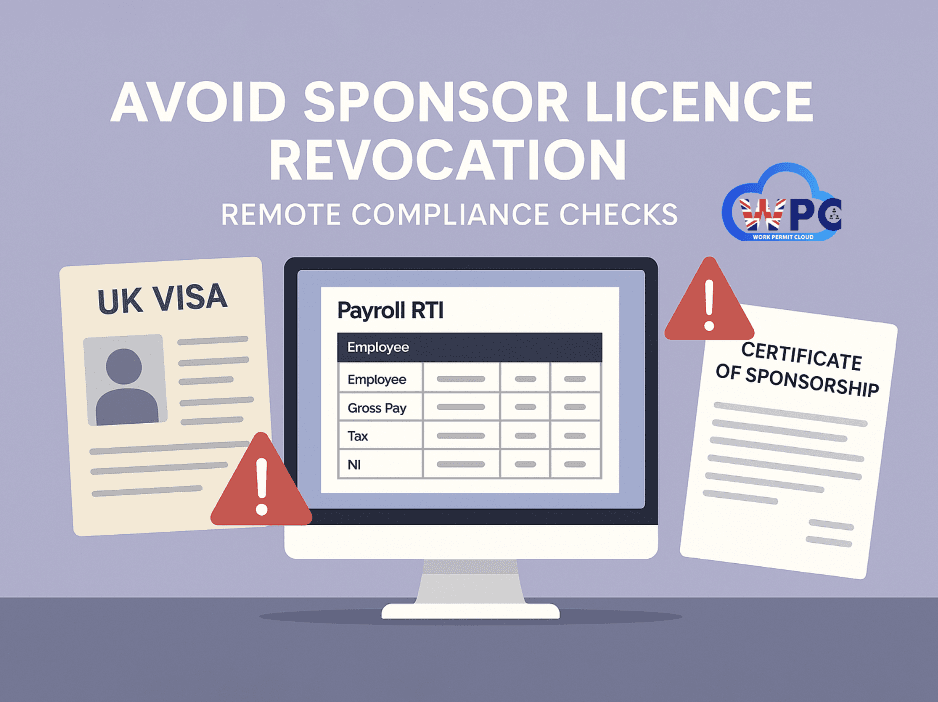
In today’s digital age, the Home Office no longer needs to set foot in your workplace to uncover breaches of sponsor duties. Through advanced data-matching tools, including Real Time Information (RTI) submissions from payroll systems and Certificate of Sponsorship (CoS) records, they can quickly identify discrepancies in salaries, reporting failures, and other compliance issues.
This means sponsors must be more vigilant than ever. If the Home Office detects underpayment of sponsored workers, or failures to report key changes in the Sponsorship Management System (SMS), they may send a notice demanding evidence, and failure to comply can lead to licence suspension or revocation.
This blog explains how these checks work, the most common mistakes sponsors make, and how to avoid them.
The Digital Watchdog: How the Home Office Knows
In the past, sponsor compliance checks often involved a physical visit from Home Office officials. While these visits still happen, technology has enabled a new era of remote monitoring. The two key tools in their digital arsenal are the Sponsorship Management System (SMS) and Real Time Information (RTI) from HMRC.
◆ Scrutinising Salaries with Real Time Information (RTI)
One of the most significant compliance developments is the Home Office's ability to cross-reference the salary you declared on a worker's Certificate of Sponsorship (CoS) with the actual salary being paid, as reported to HMRC through the RTI system.
Your payroll software transmits tax and National Insurance information to HMRC every time you pay your employees. The Home Office now has access to this data. This means they can easily flag discrepancies between the promised salary on the CoS and the reality of the worker's pay packet. If a sponsored worker is being paid less than stated, and you haven't reported this change, the Home Office will know. This can trigger a swift request for evidence, such as bank statements and payslips, and could be considered a serious breach of your duties.
◆ Your Digital Footprint: The Sponsorship Management System (SMS)
The SMS is your primary tool for managing your sponsor licence, but it's also a key source of information for the Home Office. Every action you take, or fail to take, is recorded. Under the sponsor guidance, you must report certain changes within 10 working days, such as:
● A sponsored worker’s visa refusal or cancellation
● Termination of sponsorship for any reason
● A reduction in salary, or a change of work location or job role
A recent case highlights this perfectly. A business had its request for a new CoS rejected because it failed to report that a previously sponsored worker's visa application had been refused. According to the sponsor guidance, you must report when you stop sponsoring a worker for any reason, including a visa refusal, within 10 working days. The failure to log this "migrant activity" on the SMS was a clear breach of their reporting duties, leading to the rejection.
The Cost of Non-Compliance: More Than Just a Refusal
Failing to meet your sponsor duties can have severe consequences for your business. As outlined in the Home Office's communications, these can range from minor penalties to the complete loss of your ability to sponsor overseas workers.
Potential sanctions include:
● Reduction of your CoS allocation:
Your ability to sponsor new workers could be limited or reduced to zero.
● Downgrading of your licence rating:
While B-rated you cannot sponsor any new workers, and you must accept and pay for a three-month sponsorship action plan (£1,579) within 10 working days or the licence is revoked.
● Suspension of your licence:
The Home Office may suspend your licence while they conduct further investigations.
● Revocation of your licence:
This is the most severe outcome, meaning you can no longer employ any sponsored workers.
● Reporting to the police:
In serious cases, you could be reported to the police or other authorities.
These actions are often triggered by a history of non-compliance, such as failing to adhere to reporting duties.
How to Stay Compliant and Avoid Notices
- Check RTI Submissions Against CoS Data – Ensure payroll figures match the stated CoS salary unless a permitted change has been reported.
- Report Changes Promptly – Use SMS to report any visa refusal, job change, or termination within 10 working days.
- Keep Accurate Records – Maintain signed contracts, payslips, and payment evidence for every sponsored worker. It’s recommended to use secure software like our HRMS, which keeps all records in one safe, organised location and ensures easy access during compliance checks.
- Audit Your HR Systems Regularly – Spot and correct discrepancies before the Home Office does. We recommend taking a professional annual audit service to ensure full compliance with sponsor duties and to identify risks before they escalate. Our guidance on Sponsor Licence: How to Apply sets out the four criteria a compliance officer rates, which make a good checklist for your own audit.
- Respond Quickly to Home Office Requests – Deadlines are strict, and missing one can cost you your licence.
How Can WorkPermitCloud Help?
At WorkPermitCloud, we help sponsors stay fully compliant with their licence duties. Our HRMS software ensures your payroll RTI data matches CoS records, while our compliance team audits your processes to spot risks early. We can also guide you in preparing and submitting evidence if you receive a Home Office notice, protecting your licence and your business.
📞 Call us: +44 020 8087 2343
📧 Email: info@workpermitcloud.co.uk
📅 Book a free consultation: calendly.com/lutfur-workpermitcloud
Conclusion
The message from the Home Office is clear: sponsor licence compliance is not optional, and digital systems have made it easier than ever for them to monitor your activity. Regularly reviewing your procedures, ensuring salary consistency between the CoS and payroll, and maintaining meticulous records on the SMS are fundamental to protecting your licence. By understanding the rules and the consequences of breaking them, you can avoid sanctions and continue to benefit from the valuable contributions of sponsored workers.
Glossary
| Term | Definition |
| Certificate of Sponsorship (CoS) | An electronic record issued by a licensed sponsor to a migrant worker to support their visa application. |
| Real Time Information (RTI) | HMRC’s payroll reporting system where employers submit pay and deduction details every time employees are paid. |
| Sponsorship Management System (SMS) | The online portal sponsors use to manage their licence, report changes, and request or assign CoS. |
| Sponsor Licence Revocation | The permanent removal of a sponsor’s licence, preventing them from sponsoring migrant workers. |
| Licence Rating Downgrade | A reduction of a sponsor’s licence rating from A to B due to non-compliance, requiring an action plan to regain full status. |
| Reporting Duties | Obligations to notify the Home Office of specified changes to a sponsored worker’s circumstances within set time limits. |
| Underpayment | Paying a sponsored worker less than the salary stated on their CoS without notifying the Home Office or meeting permitted exceptions. |
| Undefined CoS | A type of CoS usually used for workers switching visas within the UK. |
| Prepaid Payroll Card | A payment method where wages are loaded onto a prepaid card instead of a bank account. |
| Sponsor Assurance Check | A Home Office review of documents and payroll data to confirm compliance with sponsor duties. |